
The dimension you need isn't on the plan.
The designer dimensioned the outside walls and skipped the one you're standing next to. Open the PDF in PlanTape, tap the two corners, and the length is there — measured between the drawing's own lines, at the drawing's own scale.
No account · No cloud · Works offline · iPhone, iOS 26+
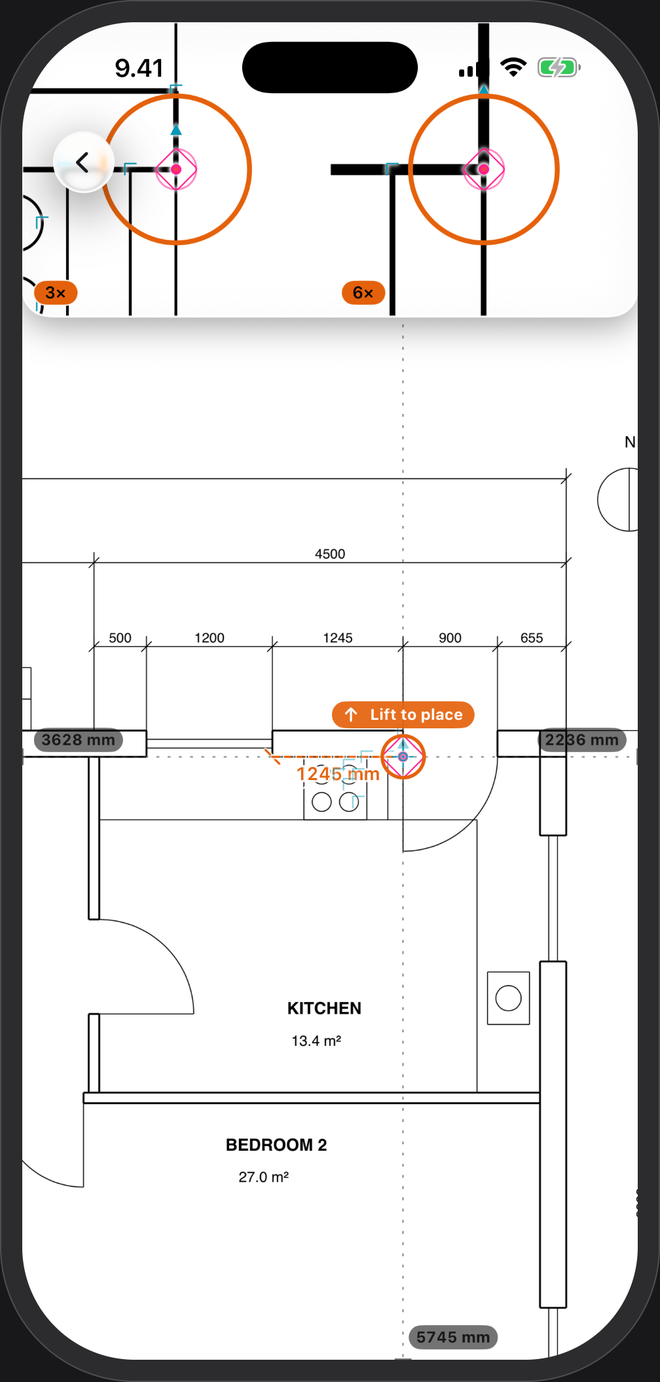
Three taps, one number.
- Open the planFrom Files, Mail or another app. On a CAD-exported PDF with printed dimensions, the scale is set as it opens and tagged Auto.
- Tap near the first cornerThe point lands on the corner, line end or crossing next to your finger.
- Tap the secondThe length appears, labelled on the plan. Busy sheet? Drag instead: a magnifier opens, and you feel a click when the point lands on the line.
Why not hold a ruler to the print?
A PDF is rarely at the scale printed in its title block. "Fit to page" shrinks it, a different paper size stretches it, and a phone screen has no scale at all. PlanTape sets the scale from the dimensions printed on the sheet, so the size of the print doesn't matter. Tap the Auto tag to see which dimension it used, and judge it yourself.
No printed dimensions? Trace a length you know — a dimension line, a standard door — type it, and the sheet is to scale. More on drawing scale →
Once the scale is set
Runs
Point to point, every segment labelled, with a running total.
A quick length
Live tape reads a length on the fly and leaves no mark on the plan.
Areas
Rectangles or free shapes, with every side length. Room areas →
Mark it and send it
Arrows and notes that land on the same corners, then a flattened PDF through the share sheet.
Questions
Does it work with any PDF?
Any PDF opens. Vector PDFs — the kind exported from CAD — get automatic scale and snapping, because that's where the lines are. Scanned plans: set the scale yourself by tracing a length you know, then measure freely without snapping.
How exact is the number?
It measures the drawing, not the building, so it is as good as the drawing and its scale. Treat it as a working aid, as you would any print, and check critical dimensions on site.
Do I need signal or an account?
No. No account, no cloud, and it works offline — in a basement, too. Your plans stay on your phone.