
The takeoff, from the plan in your pocket.
Cable runs, pipe runs, skirting, floor areas — straight off the PDF, one-handed, with no signal. Every segment labelled with a running total, and a summary you can send to the office.
No account · No cloud · Works offline · iPhone, iOS 26+
What goes into the takeoff
Runs
Point to point along the route, every segment labelled, with a running total — cable, pipe, duct, trim.
Areas
Rectangles or free shapes with every side length, for floors, ceilings, screed and insulation.
A length on the fly
Live tape answers "how far?" without leaving a mark on the plan.
A summary for the office
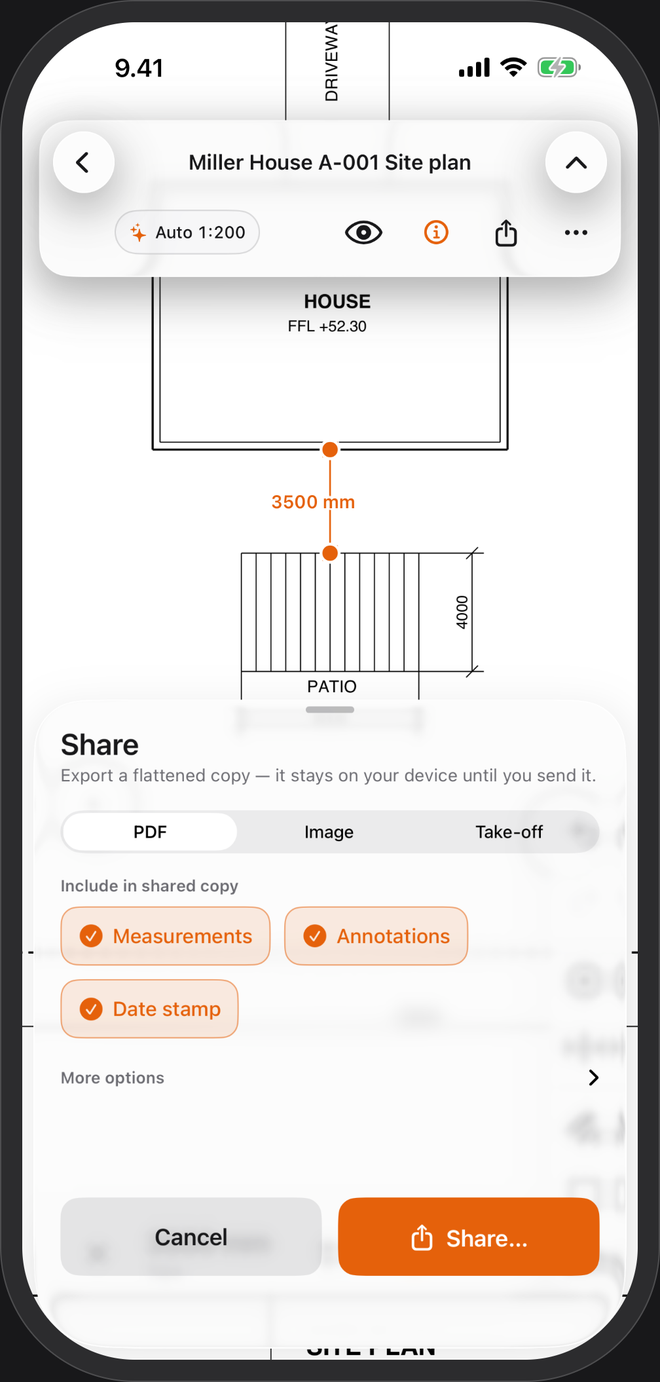
Export a take-off summary as CSV or a one-page PDF, or the plan with every mark burned in, through the share sheet.
Made for site, not the desk
- One handThe tools sit within thumb reach. Tap near a corner and the point takes it; the magnifier covers the crowded spots.
- No signal neededNo account, no cloud. It works in the basement and the screen stays awake while a plan is open.
- Sorted by jobEvery plan stays in a library on your phone, in projects and tags, with revisions of the same drawing grouped together.
Questions
Can I name the measurements?
Yes. Switch on Settings → Advanced → Measurement names & tolerances, then name each measurement — and give it a nominal size and a tolerance if you want a PASS or FAIL.
Multi-page drawing sets?
Each page keeps its own scale, read from its own printed dimensions, and a review table shows which pages are set, unsure or scanned.
Feet and inches?
Yes — feet and fractional inches, and square feet for areas. US plans →
Scanned drawings?
They open. Set the scale by tracing a length you know and measure freely. Snapping and automatic scale need a vector PDF, the kind exported from CAD.